New KNULLI Scarab OS for TRIMUI Handhelds
Posted on May 14, 2026 | Category: System Updates
We are excited to announce that the latest version of KNULLI Linux (20260511 "Scarab") has officially arrived! This is a massive milestone for the TRIMUI community, bringing deep hardware integration and performance optimizations that make our handhelds feel more cohesive than ever.
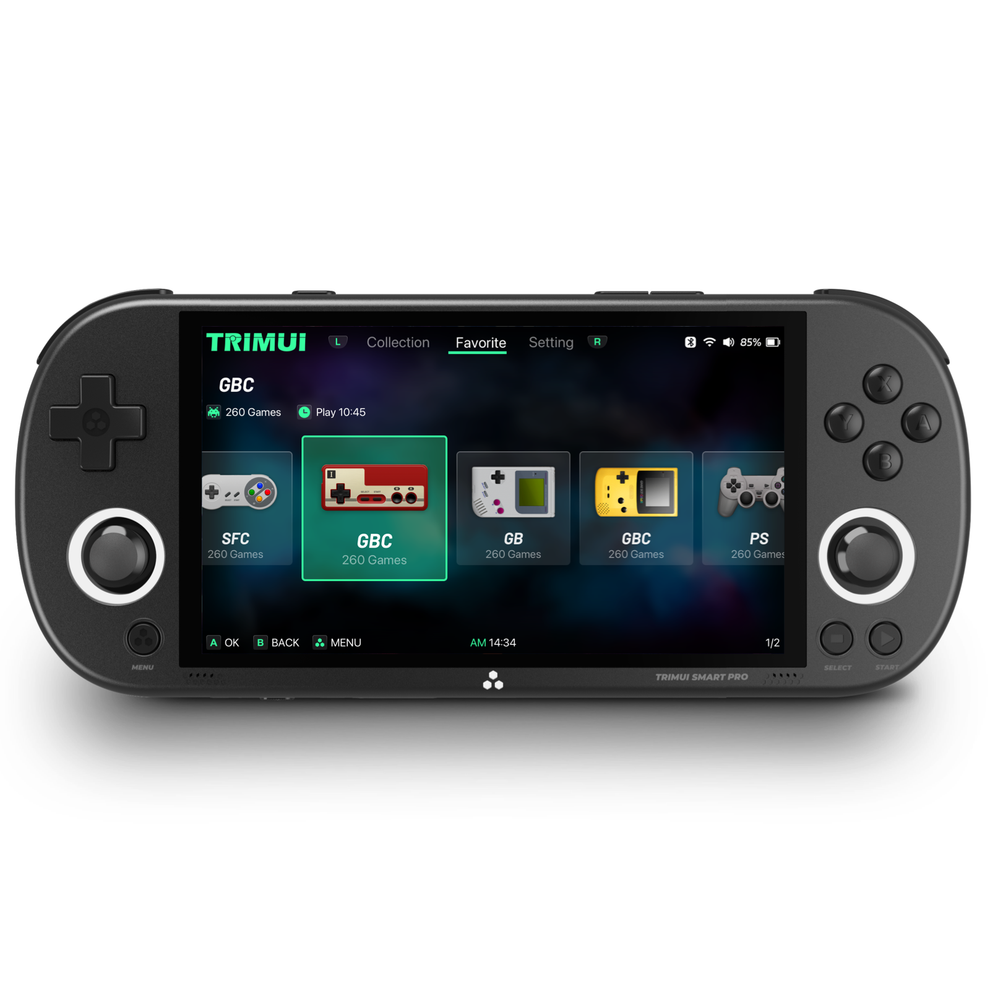
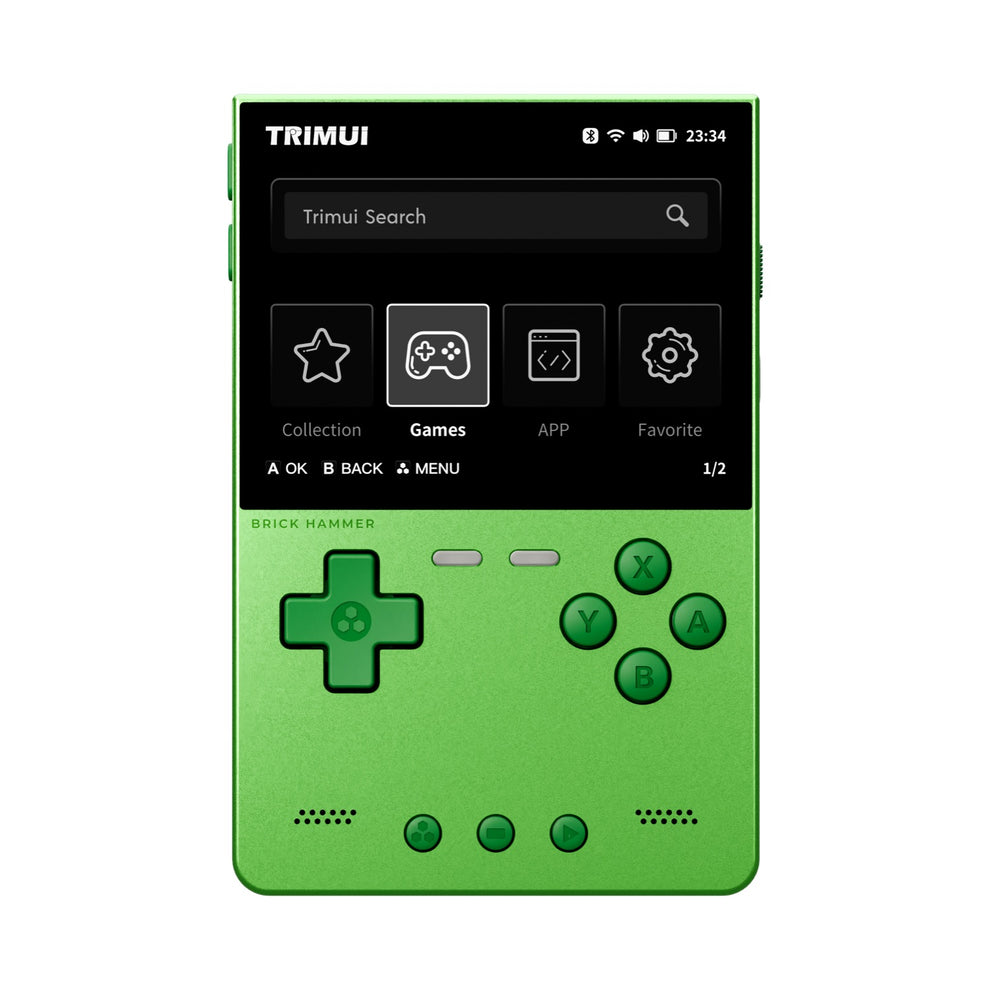
Whether you are rocking the TRIMUI Smart Pro, the new TRIMUI Brick/Hammer, or the early-access Smart Pro S (A527), this update is a must-have for every power user.
What’s New for TRIMUI Users?
1. Total Control over the Physical Switch
The signature physical toggle on your TRIMUI device is now fully customizable. In the "Device Settings" menu, you can now map the switch to:
- Mute/Unmute audio instantly.
- Toggle RGB lights on/off.
- Flight Mode for quick battery saving.
2. "Silky RGB" Integration
We’ve taken the RGB lighting to the next level. Your LEDs are no longer just for show; they are now functional tools:
- Battery Indicators: Lights change color to reflect battery status (Low, Critical, and Charging).
- Achievement Celebrations: Experience a rainbow animation every time you unlock a RetroAchievement.
- Brightness Sync: LED intensity now automatically scales with your screen brightness.
3. Smart Power Management
If you put your device to sleep and don't wake it up within 10 minutes, the system will automatically perform a "Safe Shutdown"—saving your current game state first to ensure no progress is lost while preserving your battery life.
4. Enhanced Performance & Audio
- Saturn Emulation: Addition of the standalone Yabasanshiro emulator significantly boosts performance for Sega Saturn titles.
- Audio Safety: New volume attenuation for the A133 chipset (Smart Pro) protects your speakers and headphones from sudden loud pops.
- MTP Support: Manage your ROMs and BIOS files directly via USB cable—no more swapping SD cards.
⚠️ Important: Clean Flash Required
This update changes the SD card partition table. OTA (Over-the-Air) updates from older versions will not work. You must perform a clean installation to enjoy these new features.
How to Install
-
Backup Your Data: Copy your
roms,saves, andbiosfolders from your current SD card to your computer. -
Download the Image: Visit the official KNULLI GitHub and download the
.img.gzfile specific to your model (Smart Pro, Brick, or Smart Pro S). - Flash the SD Card: Use BalenaEtcher or Raspberry Pi Imager to flash the image onto a high-quality SD card.
- First Boot: Insert the card and power on. The first boot will take a few minutes to expand the filesystem.
- Restore Games: Connect your device to your PC via USB (MTP mode) to move your games back.
Compatibility Table
| Feature | Smart Pro | Brick / Hammer |
|---|---|---|
| Physical Switch Mapping | ✅ Supported | ✅ Supported |
| Silky RGB Effects | ✅ Supported | ✅ Supported |
| 10-Min Auto-Shutdown | ✅ Supported | ✅ Supported |
| MTP File Transfer | ✅ Supported | ✅ Supported |